


 6 minute read
Running a business today means keeping up with how people actually want to pay, and that's where a smart POS comes into the picture. This blog walks through what a smart POS really is, breaks down the features that set it apart from a traditional cash register or basic card machine, and looks at the tangible benefits it brings to everyday operations. It also touches
on why so many businesses across retail, hospitality, and services are making the switch right now, and what to keep in mind before choosing one for your own setup.
Most business owners remember the days of a clunky billing machine sitting at the counter, doing exactly one job and doing it slowly. Things have moved on quite a bit since then. A smart POS isn't just a device that prints receipts anymore. It's closer to a small business command centre that handles payments, tracks inventory, talks to your accounting software, and
gives you numbers you can actually act on. Let's get into what that looks like in practice.
What Is a Smart POS?
A smart POS, short for smart point of sale, is a payment and business management system built around internet connectivity and app-based functionality. Instead of a single-purpose card swipe machine, think of it as a compact computer with a touchscreen, a card reader, and software that runs on top of an operating system, often Android-based.
This setup allows the device to run multiple applications at once. One app might handle billing, another manages loyalty points, and a third syncs data straight to your cloud dashboard. The hardware typically supports card payments, UPI, QR codes, and contactless taps, all through the same terminal.
For a shop owner, this means the counter no longer needs three separate machines cluttering the space. One terminal handles the entire transaction lifecycle, from scanning a product barcode to processing the payment and printing or emailing the receipt.
Core Features That Define a Smart POS
- Multi-mode payment acceptance, covering cards, UPI, wallets, and QR-based transactions on a single screen
- Built-in inventory tracking that updates stock levels automatically after every sale
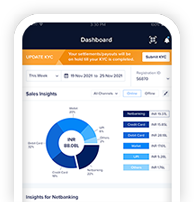
- Cloud-based reporting dashboards accessible from a phone or laptop, away from the store
- Integration options with accounting tools, e-commerce platforms, and CRM software
- Customer-facing displays that show itemised bills and loyalty offers during checkout
- Offline transaction capability that syncs once connectivity is restored
The touchscreen interface tends to be intuitive too, closer to using a tablet than navigating a rigid, button-heavy machine. This helps staff training time drop considerably, which matters a great deal for businesses with high staff turnover.
Benefits Businesses Are Seeing
- Real-time sales visibility: A café owner can see which items sell fastest during particular hours and adjust staffing or stock accordingly, rather than guessing from memory
- Automatic stock alerts: Retailers get notified when a particular SKU runs low, cutting down on overstocking and out-of-stock moments
- Simpler reconciliation: Every transaction, refund, and discount gets logged digitally and time-stamped, so closing the books takes minutes rather than hours spent cross-checking receipts against a cash drawer
- Improved customer experience: Faster checkout reduces queue frustration, and accepting whatever payment mode a customer prefers removes a common point of friction. Loyalty programmes built into the same terminal recognise repeat customers automatically, without a separate punch card or app download
- Stronger security: Encrypted transactions and centralised data storage reduce the risks tied to manual cash handling and paper-based record keeping, which matters for compliance and peace of mind
Why the Shift Is Happening Now
Several factors have converged to make this shift happen now. Digital payment adoption has climbed steadily, and customers, particularly younger ones, increasingly expect to tap or scan rather than fumble with cash. Businesses that can't accommodate this risk losing footfall to competitors who can.
Affordability has changed the calculation too. Smart terminals used to carry a hefty upfront cost that kept them out of reach for smaller shops. Subscription-based pricing models and lease options have brought the entry point down considerably, making the technology accessible to a corner store just as much as a large retail chain.
Government-led pushes toward digital transactions in several markets have added momentum as well, with incentives and infrastructure support making the transition smoother for smaller merchants who might otherwise have hesitated.
Remote management capability has also mattered more since the pandemic reshaped how business owners operate. Being able to check sales figures, manage inventory, or troubleshoot a terminal issue from a phone, without being physically present at the store, has gone from a nice-to-have to something owners actively look for.
Picking a terminal isn't a one-size-fits-all decision, and it helps to think through a few practical questions before committing. Consider transaction volume first. A busy restaurant with rapid table turnover has different needs compared to a boutique store with fewer, higher-value sales.
Integration matters just as much. If your business already runs on specific accounting or inventory software, checking compatibility upfront saves you the future headache. Support and service also deserve attention. A terminal that goes down during peak hours with no quick fix available can cost real revenue, so understanding the vendor's support turnaround is worth
the extra few minutes of research.
Cost structure is another piece worth scrutinising carefully. Some providers charge low upfront fees but higher transaction rates over time. Mapping this against your expected sales volume gives a clearer picture of the actual cost over a year rather than just the sticker price.
This is where working with a trusted payment technology partner makes a genuine difference. CC Avenue offers smart POS solutions built to handle the realities of Indian businesses, from multi-mode payment acceptance to inventory and reporting tools that plug directly into a merchant's existing operations. For businesses looking to move past outdated billing setups,
exploring what CC Avenue's smart POS range offers is a sensible next step.
Frequently Asked Questions
What makes a POS system "smart"?
A POS becomes "smart" when it runs on an operating system that is capable of supporting multiple apps, connects to the cloud for real-time data, and accepts several payment modes through one terminal rather than separate devices.
Can a smart POS work without internet access??
Most modern terminals include offline modes that store transaction data locally and sync it automatically once connectivity returns, so a temporary outage doesn't halt operations.
Is a smart POS suitable for small businesses?
Yes. Subscription and lease-based pricing models have made these systems accessible to small shops and independent businesses, not just large retail chains.
How does a smart POS help with inventory management?
It updates stock counts automatically with every sale, sends low-stock alerts, and often integrates directly with supplier or accounting systems to keep records accurate without manual entry.
What payment types does a smart POS typically support?
Most terminals accept debit and credit cards, UPI, QR-code payments, and contactless taps, all processed through the same device.






 AvenuesAI
